

Melengkapi Purchase Description
Setelah Produk di dafatarkan ke invoice dan Vendor telah dipilih, maka bagian terpenting terakhir adalah mengisi bagian Purchase Description
Beberapa bagian wajib yang di isi adalah input-input: Status, Due Date, dan Branch
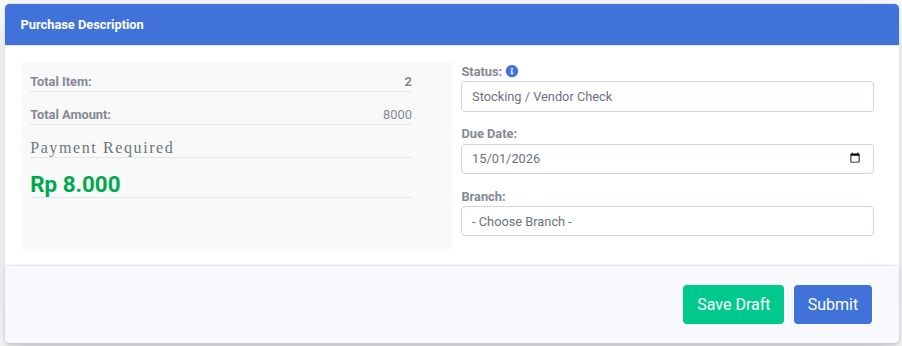
A. Status
Pilih status yang sesuai berdasarkan tahapan proses Invoice Pembelajaan:
| Status | Description |
|---|---|
| Stocking / Vendor Check | Pilih opsi ini sebagai status draft jika rincian produk masih ingin dikonfimasi terlebih dahulu |
| Pending / Finance Request | Proses ke Deparment Keuangan untuk disetujui. Setelah Finance menyetujui, invoice tidak dapat diubah. |
| Process / Vendor Delivery | Indicates that payment has been made and the purchase is on the way from the vendor. |
| Finish / Loading | The products have arrived and are being loaded into the store or warehouse. |
| Inventory Checking | The purchase is loaded and is being checked for quantity and quality in the Inventory Module. |
| Inventory Selling | The process is complete, and products are ready for sale in the POS System. |
B. Due Date
Pilih Tanggal pada Due Date sebagai informasi waktu Pembelanjaan harus sudah dilakukan
C. Branch
Pilih Branch untuk informasi dimana produk akan dilokasikan